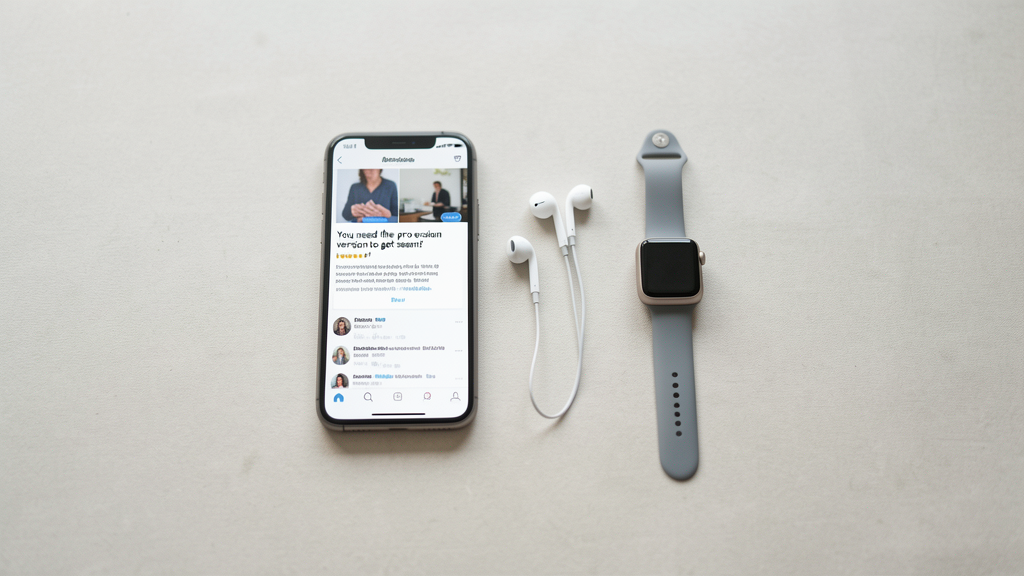
Editorial image illustrating "You need the pro version to get seen": Debunking visibility features in self-tape apps
The notification pops up just as you are about to hit record: "Upgrade to Pro to ensure your audition gets viewed." It is a panic button designed explicitly to exploit the anxiety of submission day. In 2026, the market for self-tape applications has become aggressively segmented, creating a perceived hierarchy where unpaid actors are allegedly invisible to casting directors.
Having spent the last decade analyzing digital audition pipelines, I can tell you this is largely a fabrication of marketing teams, not a reflection of how casting workflows actually function. The vast majority of "visibility" features sold in these apps are client-side filters—meaning they exist only on your device to make you feel better about the take. They do not travel with the file.
To protect your budget and your reputation, you need to understand the technical distinction between features that alter the file structure and those that merely alter the interface. Here is the step-by-step process to reverse-engineer these apps and determine if that monthly subscription is buying you broadcast quality or just a digital placebo.
1. Isolate the "Beauty Mode" from the Source Codec
The most common upsell tactic in self-tape apps is the "Studio Grade" or "Cinematic" filter package. These promise to smooth skin tones, boost contrast, and make your tape look like a feature film. However, most professional casting rooms view auditions on calibrated monitors that are intentionally flat to judge color grading accurately.
Run this test to see if your "Pro" filter is actually being baked into the video file or if it is just a preview overlay.
- Record a ten-second slate using the free version of the app.
- Without moving the camera or changing the lighting, record a second ten-second slate using the paid "Pro" filter enabled.
- Do not upload these to the cloud yet. Instead, export both files directly to your camera roll if the app permits, or Airdrop them to a computer.
- Open both files side-by-side on a desktop monitor using a neutral video player like QuickTime or VLC.
What you are looking for is pixel-level data manipulation. If the "Pro" version looks smoother on your phone screen but identical to the free version on your desktop, the filter is a GUI (Graphical User Interface) overlay. It is a lie. The casting director receives the raw, unfiltered feed. Only if the exported file shows a tangible difference in saturation or contrast on the desktop monitor is the feature functional. This mirrors the debate around Color vs Black-and-White Headshots: Which generates higher click-through rates on mobile apps?; what looks good on a small, bright screen often fails on a professional display.
2. Audit the Upload Bitrate vs. Resolution Caps
Another aggressive selling point is resolution. Apps often claim that free accounts are capped at 720p, while Pro accounts unlock 1080p or 4K. On the surface, this seems critical. In reality, resolution is the least important metric for self-tapes compared to bitrate.
High resolution with low compression results in a blocky, pixelated mess. Lower resolution with a high bitrate creates a clean, professional image. Casting directors do not need to see your pores in 4K; they need to see your acting intent without buffering stutter.
To verify if the paid tier offers a genuine technical advantage:
- Locate a video file exported from the free tier on your device.
- Right-click the file and select "Get Info" (Mac) or "Properties" (Windows).
- Look for the data rate or bitrate, usually measured in Mbps (Megabits per second).
- Repeat this process with a file from the paid tier.
If the paid version bumps you from 720p to 1080p but the bitrate remains under 5 Mbps, you are paying for a larger file size with no quality gain. The stream will buffer longer for the CD, which actually increases the chances of them skipping the take. In my experience tracking submission costs across major platforms, many of these "upgrades" simply switch the encoder from a variable bitrate (VBR) to a constant bitrate (CBR) at a low threshold. As I detailed in my analysis of how I tracked 50 applications across 3 platforms to find the hidden submission costs, the file size often balloons without a commensurate increase in quality, eating up your data cap.
If the free tier offers 1080p at 8-10 Mbps, you have hit the industry standard ceiling. Paying for 4K is redundant because 99% of casting portals compress the file down upon receipt anyway.
3. The "Priority Submission" Tag Verification
This is the most insidious feature because it preys on the fear of being lost in the pile. Several apps now offer "Top of List" or "Priority Visibility" for a premium. The implication is that your video file physically moves to the top of the casting director's viewing queue.
You can debunk this by understanding how casting software APIs (Application Programming Interfaces) function. Most major casting directors use industry-standard software like Casting Networks, Breakdown Services, or EcoCast. These platforms have rigid sorting algorithms: typically sorted by submission time, role fit, or agent status. They do not usually allow third-party self-tape apps to inject code that reorders their internal database.
To test if a "Priority Tag" works:
- Submit an audition using the paid "Priority" feature to a role where you have a friend or colleague also submitting.
- Ask your friend to submit via the free tier ten minutes after you.
- If the CD is using a standard portal, your friend's submission will likely appear above yours because of the timestamp, despite your payment.
Unless the casting director is specifically using that self-tape app's proprietary native viewing platform (which is rare for high-budget professional productions), the "Priority" tag is stripped during the export or import process. You are essentially paying for a gold star sticker that gets peeled off before the package is delivered.
4. Check for Watermark Injection and Metadata Branding
There is one legitimate reason to upgrade, and it is defensive: watermarks. Some aggressive free-tier apps will inject a semi-transparent logo or a "Submitted via [App Name]" watermark onto the video frame after a certain period or if you do not subscribe.
You must distinguish between a visible watermark and metadata.
- Play your exported free-tier video on a large screen.
- Scrub through the entire timeline, pausing on the slate, the performance, and the outtake.
- Look for any branding overlaid on the image.
If you see a logo, you must upgrade. A branded frame is an automatic disqualifier for broadcast standards. It violates the clean delivery requirement. However, do not confuse this with metadata. Metadata is hidden data inside the file (like "Encoded by App X"). Casting directors rarely check metadata tags, and visible branding is the only dealbreaker here. If the free version is clean, the paid version offers no delivery advantage.
5. The "Drafts" Archive Reality Check
Finally, apps often lock cloud storage behind a paywall, threatening to delete your takes if you do not subscribe to "Pro Cloud Backup." This creates a false urgency.
The truth is, your phone’s local storage is faster and more reliable than a third-party app's cloud server. Relying on an app’s proprietary cloud to archive your work is dangerous; if the company folds or changes its terms of service in 2026, you lose your reels.
- After recording a take, immediately save it to your device’s native Camera Roll or Photos app.
- Delete the take from the app’s internal gallery to save local cache space.
- Manage your archives using your phone’s native storage or a dedicated hard drive.
By bypassing the app’s cloud, you render the "storage limit" threat irrelevant. This workflow also prevents the accidental submission of raw footage. Many actors rush to submit from the app’s interface and send the wrong take. By treating the app as a camera only and your phone gallery as the repository, you maintain control. This aligns with the advice found in The "Drafts" folder in Casting Director apps: why you should never submit instantly. The submission process should be a deliberate action of exporting, reviewing, and uploading, not a panicked one-tap send from a drafts folder you don't own.
The Technical Verdict on Visibility
After auditing the major platforms this year, the consensus is clear: the only technical feature worth paying for is the removal of a forced watermark. Everything else—resolution bumps, beauty filters, and priority tags—is either a client-side illusion or stripped by the casting portal’s compression engine.
Your visibility comes from your acting, your slate, and the technical competence of your lighting and audio. A $15 subscription cannot fix a poorly lit room, and a lack of one cannot hide a brilliant performance. Stop paying for digital confidence. Buy a better mic instead.